Readable text on small labels is the difference between a customer who calls you and a customer who walks away. A label can have a beautiful logo, but if the phone number is tiny or the name is hard to read, it does not sell. This is one of the most common problems with home-designed labels, and it is easy to fix.
This guide is part of our series on small batch stickers in Nigeria. Last updated: 16 October 2026.
This guide explains how large text should be, which fonts and colours work, how to place text on a round label, and how to check readability before printing. It applies to snacks, drinks, soap, cosmetics and any small product label.
Table of Contents
Table of Contents
Why text is the weak point on small labels
On a screen, you can zoom in. On a printed label, you cannot. A phone number that looks fine on your phone can print only a few millimetres tall, and a long social media handle can shrink to a line nobody can read. Small stickers also leave less room, so people tend to squeeze more in.
Rules for readable text on small labels
- Put the most important things in the largest letters. Usually the product name first, then the flavour or type, then the contact.
- Make the phone number bold. As a rough guide, do not let it go below about 8 points on a small label, and larger if there is room.
- Use a plain, clear font. Avoid thin, script and decorative fonts for numbers and small text.
- Keep strong contrast. Dark text on a light background, or white text on a dark one. Avoid light text on a light colour.
- Write the number in groups, such as 0806 362 4202, so it is easy to read and copy.
- Use only one or two social media icons with one handle, not five icons with tiny text.
- Keep text away from the edge. The University of Bristol’s University of Bristol print services recommends keeping text at least 5 mm from the edge, which also stops a cut label from clipping letters.
How to place readable text on small labels that are round
- Put the product name across the middle in large letters.
- Put the flavour, type or short description just below or above the name.
- Put the phone number and the handle in a clear band or arc near the bottom, in bold letters.
- Leave empty space around the text. White space makes it easier to read.
Readable text on small labels over a busy background
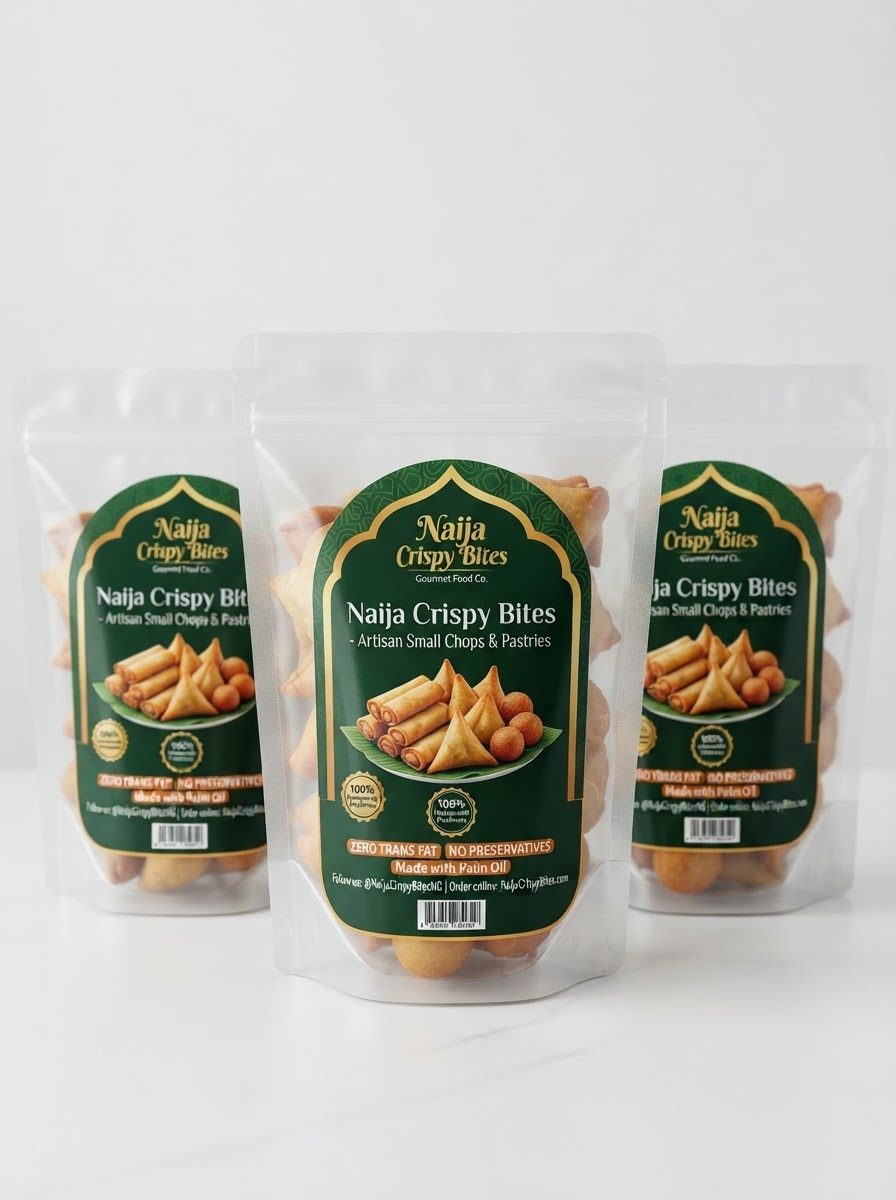
If the label sits over a busy product, such as a clear pouch of snacks, give it a solid background colour so the text stays clear. If your design has a picture behind the words, add a solid band behind the text, or make the text bold and a strongly contrasting colour.
How to check readable text on small labels before printing
- Print a test at actual size on plain paper, cut it out and hold it against your container.
- Read it from arm’s length. Can you read the name and the phone number without squinting?
- Ask someone else to read the phone number aloud from the paper.
- Check it in poor light. Can the number still be read in a dim room or outdoors?
If you cannot read it, enlarge the text or remove something else. Less is more on a small label. See sticker sizes for small products for sizes and how to prepare sticker artwork for the full artwork checklist.
Check the spelling and the numbers twice
A wrong digit in the phone number is the most expensive typo on a label. If you used AI to make the artwork, check every word, because AI often misspells names. Add the words yourself in a design tool. See AI prompts for sticker logos.
How big should a phone number be on a sticker?
Make it bold and as large as the label allows. Avoid going below about 8 points on a small label.
What font is best for a small label?
A plain, clear, bold font. Avoid thin, script or decorative fonts for numbers and small text.
How do I put text on a round label?
Put the name across the middle, with the phone number and handle in a clear band or arc near the bottom, in bold letters.
Why is my label text hard to read after printing?
Usually the text was too small, too thin, too close to the edge or placed on a busy background.
Can you check my label before printing?
Yes. Send the artwork as a document on WhatsApp and we will tell you if the text needs adjusting.
Want your label text checked?
Send your artwork as a document on WhatsApp and we will tell you if the text is large and clear enough.
Order stickersRectangular stickersAsk a questionAbout the author: This guide was written by the Lampmediatouch team in Ogbomoso, Oyo State, from day-to-day experience designing and printing labels, stickers and branding materials for small businesses across Nigeria. Contact us with questions about your own labels.