AI prompts for sticker logos decide how good your label will look. A good prompt gives you a simple, bold mark that prints cleanly on a small sticker and is easy to repeat on a bag, a T-shirt or a banner. A poor prompt gives you a busy picture full of flowers, brush strokes and tiny icons that turns to mush at two inches wide.
This guide is part of our series on small batch stickers in Nigeria. Last updated: 16 October 2026.
This guide gives you ready-to-use prompts for round, oval and rectangular labels, a list of negative prompts to keep the design simple, and tests to check your logo before you send it for printing. We are not against AI. We help customers use it well.
Table of Contents
Table of Contents
What AI prompts for sticker logos should produce
- Simple. One clear idea, not five.
- Bold. Thick lines and solid shapes that stay visible when the logo is small.
- Few colours. One or two colours print cleanly and are easy to repeat on other items.
- Flat. No gradients, no shadows, no textured effects.
- Readable. If it contains a word, the word is large and easy to read.
AI prompts for sticker logos: tell the AI the shape
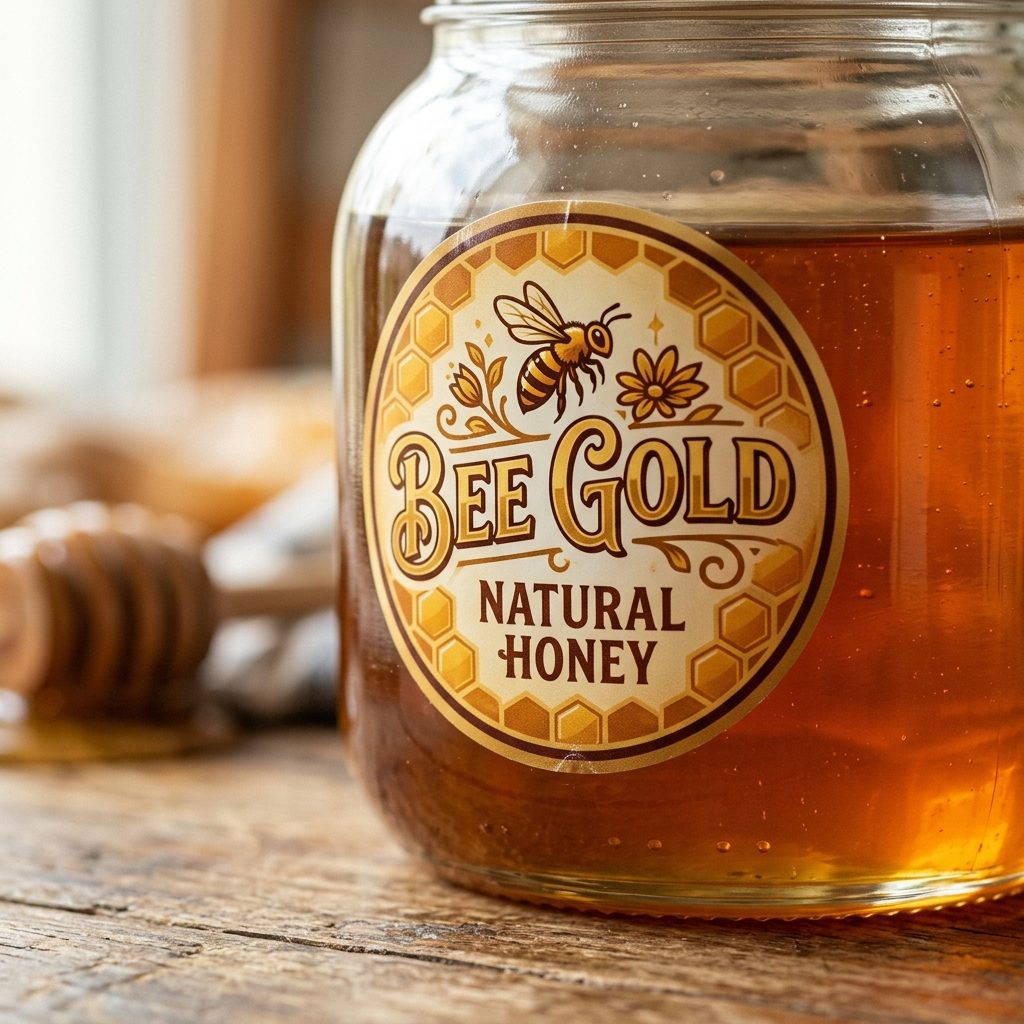
AI can design to a shape. If you tell it to design a perfect circle, it will design a circle label. If you ask for an oval, vertical or horizontal, it will design that. Name the shape in your prompt:
| Label shape | What to write in the prompt |
|---|---|
| Round | “inside a perfect circle, design centred” |
| Vertical oval | “inside a vertical oval, design centred” |
| Horizontal oval | “inside a horizontal oval, design centred” |
| Square | “square format, 1:1” |
| Wide rectangle | “wide rectangle, 3:2 proportions” |
The shape matters at this stage, not the exact size. The artwork can be resized proportionally later. See how to resize an image for stickers.
Tell AI the actual size and that the design is for print
AI can design to a dimension. Give it the real size of the label, for example “3 x 3 inches”, and say that the design is for printing on a sticker, in high resolution, including for large-format output if that is the route. When the AI knows the real size, it judges how much text and detail can fit, and it is less likely to produce tiny text that disappears in print.
A design made at one size can be resized proportionally later, as long as the shape and ratio are kept. Add your phone number yourself in a design tool and check it at real size. See phone numbers on printed stickers and printing terms for sticker designers.
A basic prompt from our AI prompts for sticker logos
Replace the words in brackets:
“Design a simple, flat logo icon inside a perfect circle for a [chinchin / zobo / liquid soap / shea butter] brand called [Brand Name]. Bold shapes, thick lines, maximum two colours, plain white background, centred, easy to reproduce as a small sticker.”
AI prompts for sticker logos need a negative prompt
A negative prompt tells the AI what to leave out. AI loves to add decoration, so this is the most useful habit for sticker logos. Some tools have a separate “negative prompt” box. If yours does not, add a line at the end of your prompt starting with “Do not include”. Use these:
- No excessive detail. It keeps the design bold and readable when small.
- No floral decoration. Flowers and leaves add fine detail that clogs on a small label.
- No brush strokes. Textured, painted edges are hard to reproduce.
- No extra icons. You want one clear mark, not a crowd of symbols.
- No gradients or shadows. Flat colours print more cleanly.
- No listicle lines. Bullet-style claims such as “made with real ingredients, no preservatives, freshly made” take space and shrink into unreadable lines.
- No rows of icons or captions. A strip of small icons with tiny captions is one of the first things to vanish in print.
- No slogans or taglines. AI adds them by habit. Keep one short line at most.
- No text in the image. AI often misspells words. Add your name and numbers yourself in a design tool.
A full example: “Design a simple, flat logo icon inside a perfect circle for a chinchin brand called [Name]. Bold shapes, maximum two colours, plain white background. Do not include excessive detail, floral decoration, brush strokes, extra icons, gradients, shadows or any text.”
AI prompts for sticker logos for different products
- Snacks: “a simple flat icon of [a bowl of chinchin / plantain chips / groundnuts], two colours, inside a perfect circle”
- Drinks: “a simple flat icon of [a cup of zobo / a bottle of yoghurt], two colours, inside a vertical oval”
- Soap and cosmetics: “a simple flat icon of [a soap bottle / a jar], one colour, inside a perfect circle”
Always add the negative prompt from the list above.
Tests to run before you send the file
- The black-only test. Ask the AI for a black-only version, or turn your logo black in a design tool. If it still works, it is simple enough to repeat on other items.
- The squint test. Shrink the logo to the size of your thumbnail. Can you still tell what it is? If not, simplify it.
- The distance test. Look at it from arm’s length on your phone. Can you read the main shape and any word?
- The repeat test. Imagine it on a small bag or a T-shirt. Is it easy to copy without losing detail?
Ask the AI for several versions and choose the simplest one, not the most impressive one.
Add the words yourself
Do not trust AI to spell your business name or write your phone number. Put the words in with a design tool, in a bold, readable font. See readable text on small labels for how to size and place them.
Ownership and branding
Be careful about who owns an AI-made logo. The US Copyright Office page on AI has said that works produced purely by AI, without enough human authorship, may not be protected by copyright. Add your own words and layout, keep the original files and prompts, and consider having a designer turn your idea into a proper logo. See our design services.
For the full process, from prompt to print file, read how to prepare sticker artwork and our AI design tools for small businesses.
How do I prompt AI for a simple sticker logo?
Ask for a flat logo icon in the shape you need, with bold shapes, two colours or fewer and a plain background, and add a negative prompt to leave out excessive detail, floral decoration, brush strokes and extra icons.
What is a negative prompt?
A negative prompt tells the AI what to leave out. If your tool has no separate box, add a line saying “Do not include” followed by what you do not want.
Can AI design a round logo?
Yes. Ask for a perfect circle and the design will be made in a circle. You can later resize it proportionally to any round size.
Should AI write my business name in the logo?
It is safer to add words yourself. AI often misspells words.
Will you tell me if my AI file is not suitable?
Yes. We explain what to change and how to prompt the AI better.
Not sure about your AI design?
Send it on WhatsApp as a document and we will tell you whether it will print well and how to improve it.
Send your designOrder stickersRectangular stickersAbout the author: This guide was written by the Lampmediatouch team in Ogbomoso, Oyo State, from day-to-day experience designing and printing labels, stickers and branding materials for small businesses across Nigeria. Contact us with questions about your own labels.