Phone numbers on printed stickers are the first thing to go missing when a design is too busy. A round label can look complete on a phone screen, with a logo, a business name, a tagline, a product name, four icons with captions, two phone numbers and two social media handles. Print it at three inches across and the smallest items shrink to a few millimetres. The phone numbers, which are the whole point of the label, can fade, blur or disappear altogether.
This guide is part of our series on small batch stickers in Nigeria. Last updated: 16 October 2026.
This guide explains why it happens, how to check a design at its real size before anything is printed, and how to brief an AI design tool properly so the numbers survive. It is written for customers who now design their own labels, and who need to speak the language of printing.
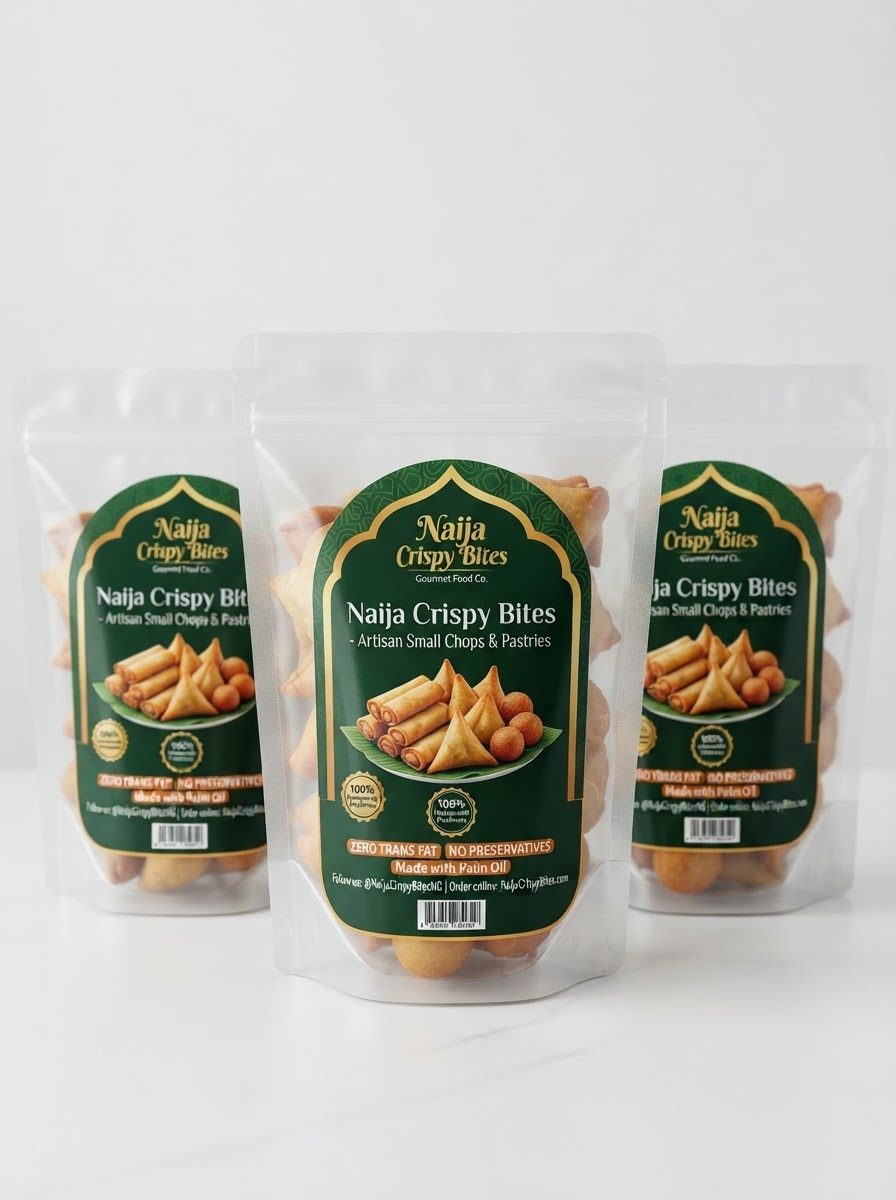
Table of Contents
Table of Contents
Why phone numbers disappear on printed stickers
Phone numbers on printed stickers go missing for practical reasons. A design is made on a screen and printed on a sticker, and the two are very different. On a screen you can zoom in. A printed label cannot be zoomed. Several problems tend to arrive together:
- Too many items. Every extra logo, tagline, icon row and slogan takes space from the numbers.
- Text that is too small. Type that is readable at 100% on a laptop can be only two or three millimetres high on a label.
- Thin or light letters. Fine strokes and light text on a coloured band can break up or vanish in print.
- Low contrast. Pale text on a pale background, or white on a mid-tone, reads poorly.
- Text near the edge. Anything close to the cut can be trimmed or lost. On a round label, a thin border ring near the edge makes this worse.
- Raster text. AI tools produce images made of pixels, so the text is a picture of letters. Enlarged or scaled down, those letters can soften. See upscale AI artwork for printing.
- Colour changes. Screens use RGB light, and printing uses CMYK ink, so some fine detail and light colours print duller. See why print colour differs from screen colour.
The real-size test: check phone numbers on printed stickers before printing
The easiest way to protect phone numbers on printed stickers is to look at the design at the size it will be printed, before anything is cut. This takes a few minutes and costs almost nothing.
- Know the finished size. For example, a round label that is 3 inches across.
- Print a test at actual size on plain paper at 100% scale, with no “fit to page”, and cut it out.
- Hold it at arm’s length. Can you read the product name and the phone number without squinting?
- Read each number aloud from the paper, digit by digit, to someone else.
- Look at the edges. Is any text within a few millimetres of the border or the cut line?
- Fix and test again until the numbers are clear.
A printer should also look at the design at real size before cutting and tell you if something will not print well. Ask for that check, and send the file as a proof request, not as a finished order, if you are unsure. We check designs at actual size and tell you what to fix before printing.
What to remove to protect phone numbers on printed stickers
AI design tools love to fill every corner. They add listicles, rows of icons and slogans because those make a design look rich on a screen. For a small label they are the first things to remove.
| AI tends to add | What to do on a small label |
|---|---|
| Listicle lines such as “Made with real ingredients / No preservatives / Freshly made” | Keep at most one short line, or none. Put the details on the packaging, not the sticker. |
| A row of four icons with captions | Remove them. Icons and tiny captions are among the first details to vanish. |
| Slogans and taglines | Keep one, only if it is short and large. Otherwise remove it. |
| Thin double borders and decorative rings | Use one bold border, or none, and keep text well inside it. |
| Several phone numbers and handles | Keep one phone number and one handle, in bold, in letters large enough to read. |
| Badges, seals and barcodes | Keep only what the product requires. See the rules for your product. |
Less is more on a label two to three inches wide.
Keep the priority simple: the brand or product name first, the flavour or type second, and the phone number third. See readable text on small labels for sizes and fonts.
How to brief AI so phone numbers on printed stickers survive
AI will design exactly what you describe, so describe the real job. Give it the shape, the actual dimensions and the purpose, and tell it what to leave out.
- The shape: “a circular label” or “a perfect circle”.
- The actual size: “3 x 3 inches” or whichever size you plan to print. The AI should know the real size so it can judge how much fits.
- The purpose: “for printing on a sticker”, and say that the output should be high resolution and suitable for print, including large-format printing if that is the route.
- The priority: “product name largest, phone number bold and easy to read”.
- What to leave out: “no listicle lines, no rows of icons, no slogans, no excessive detail, no floral decoration, no brush strokes”.
An example prompt: “Design a simple, flat circular label, 3 x 3 inches, for printing on a vinyl sticker, high resolution. Product name Plantain Chips in large bold letters, one short line below, and one phone number in a bold solid band at the bottom, large enough to read from arm’s length. Maximum two colours. Do not include listicle lines, rows of icons, slogans, excessive detail, floral decoration or brush strokes.”
Then add or correct the phone number yourself in a design tool, so every digit is checked. More prompts are in AI prompts for sticker logos.
Printing language for clear phone numbers on printed stickers
When everyone designs their own labels, everyone needs to share a vocabulary with the printer. Size, resolution, bleed, safe margin, cut line and proof are the words that prevent mistakes. We explain them in printing terms for sticker designers.
If phone numbers on printed stickers are already missing
If a printed batch has numbers that are too small or missing, the fix is a corrected design and a reprint. Simplify the design, enlarge the numbers, test at real size, and then reorder. A small first batch of 50 or 100 stickers keeps a mistake like this cheap. See small batch stickers in Nigeria.
Why did the phone number not show on my printed sticker?
Usually the text was too small, too thin or low in contrast, too close to the edge, or blurred because the image was low quality. Test the design at real size before printing.
How big should a phone number be on a sticker?
Bold and as large as the label allows. As a rough guide, avoid going below about 8 points on a small label, and make it larger where there is room.
What should I tell an AI design tool about the size?
Tell it the shape, the actual dimensions, that the design is for print, and that the output should be high resolution. Also tell it what to leave out.
Why should I avoid icons and slogans on a small label?
They take space from the information that matters, and their small text is likely to disappear in print.
Will you check my design before printing?
Yes. Send it as a document on WhatsApp with the size and quantity, and we will tell you if the numbers or anything else will not print well.
Want your design checked before printing?
Send your artwork as a document on WhatsApp with the shape, size and quantity, and we will check it at actual size and tell you what to fix.
Order stickersRectangular stickersAsk a questionAbout the author: This guide was written by the Lampmediatouch team in Ogbomoso, Oyo State, from day-to-day experience designing and printing labels, stickers and branding materials for small businesses across Nigeria. Contact us with questions about your own labels.